WordPress lead tracking for Dental Practices
Know which website visitors become Dental inquiries.
Lead Ledger helps dental practices track appointment requests, contact-form submissions, phone clicks, and website activity connected to new patient inquiries.
Local Lift family
From clicks to customers
10 Min
Setup for your WordPress dental website
Calls + forms
Track actions that create appointment opportunities
No GA required
See useful numbers without an analytics headache
Your dental website may be generating patient inquiries you cannot easily count.
Calls can disappear from reporting
See website context around calls started from treatment and location pages.Appointment forms get lost in inboxes
Keep new-patient requests easier to review alongside your marketing activity.Traffic does not explain intent
Review whether treatment, insurance, and location pages help people reach out.The simple fix
See the website activity behind your dental inquiries.
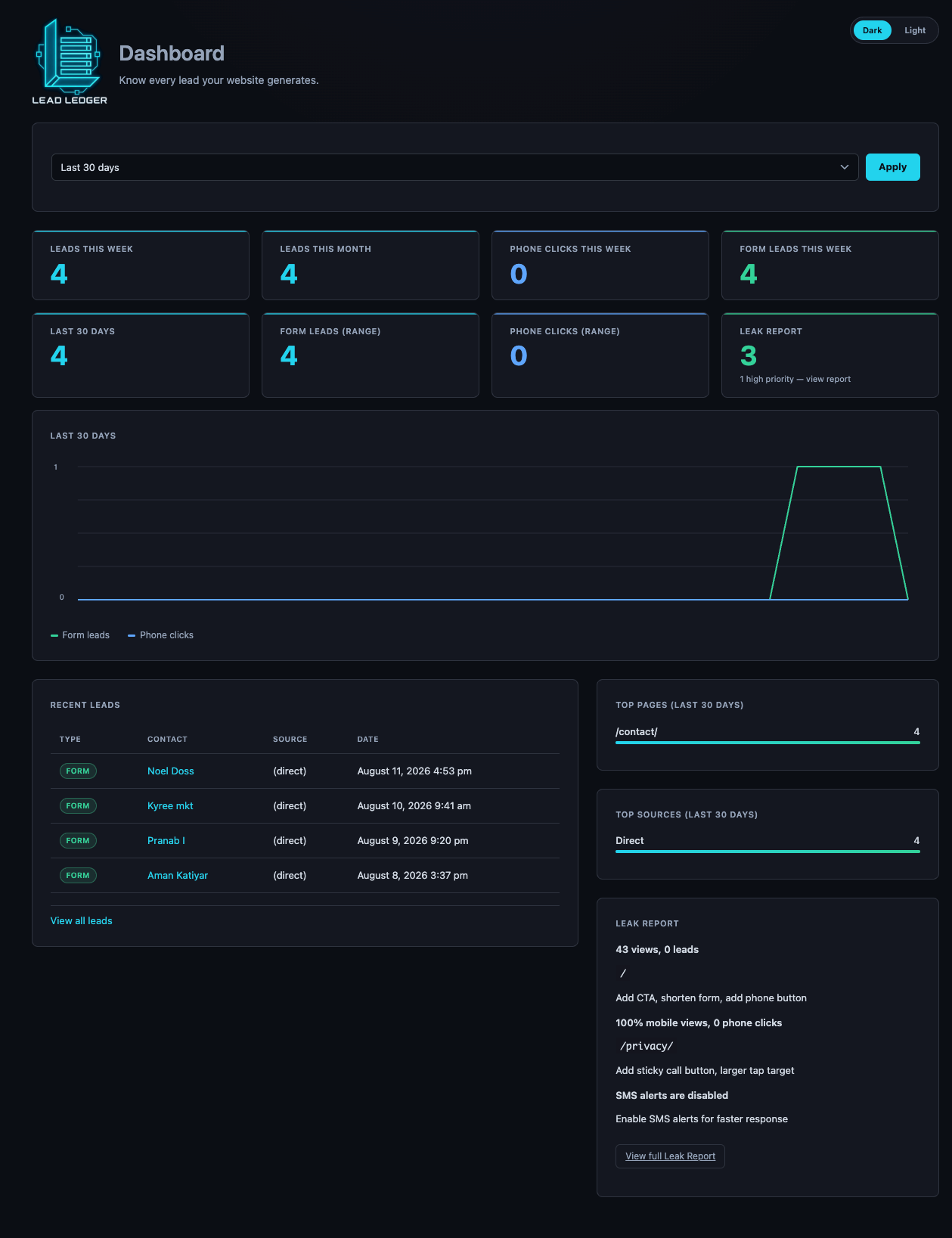
Lead Ledger puts supported form submissions and phone clicks into one simple WordPress dashboard.
- Log appointment and contact-form submissions
- Count phone-number and click-to-call interactions
- Review treatment pages and referring sources
- Receive instant email alerts and a weekly digest
- Keep lead data on your own WordPress site
How it works
Start tracking dental website inquiries in about ten minutes
-
Install and activate
Install Lead Ledger on your WordPress dental website.
-
Connect forms and alerts
Select supported forms and set the notification email.
-
Review the dashboard
See appointment inquiries, pages, sources, and trends in one place.
Built for dental practices.
For practice owners
Get a clearer answer about whether the website helps generate new patient inquiries.
For marketers
Connect treatment content and traffic sources with contact activity.
For agencies
Share a simple performance view that practice owners can understand.
FAQ
Questions dental practices ask
Make your dental website easier to understand.
Install Lead Ledger free and start measuring the calls and appointment forms your website generates.